
Secure email for journalists, encrypted by default
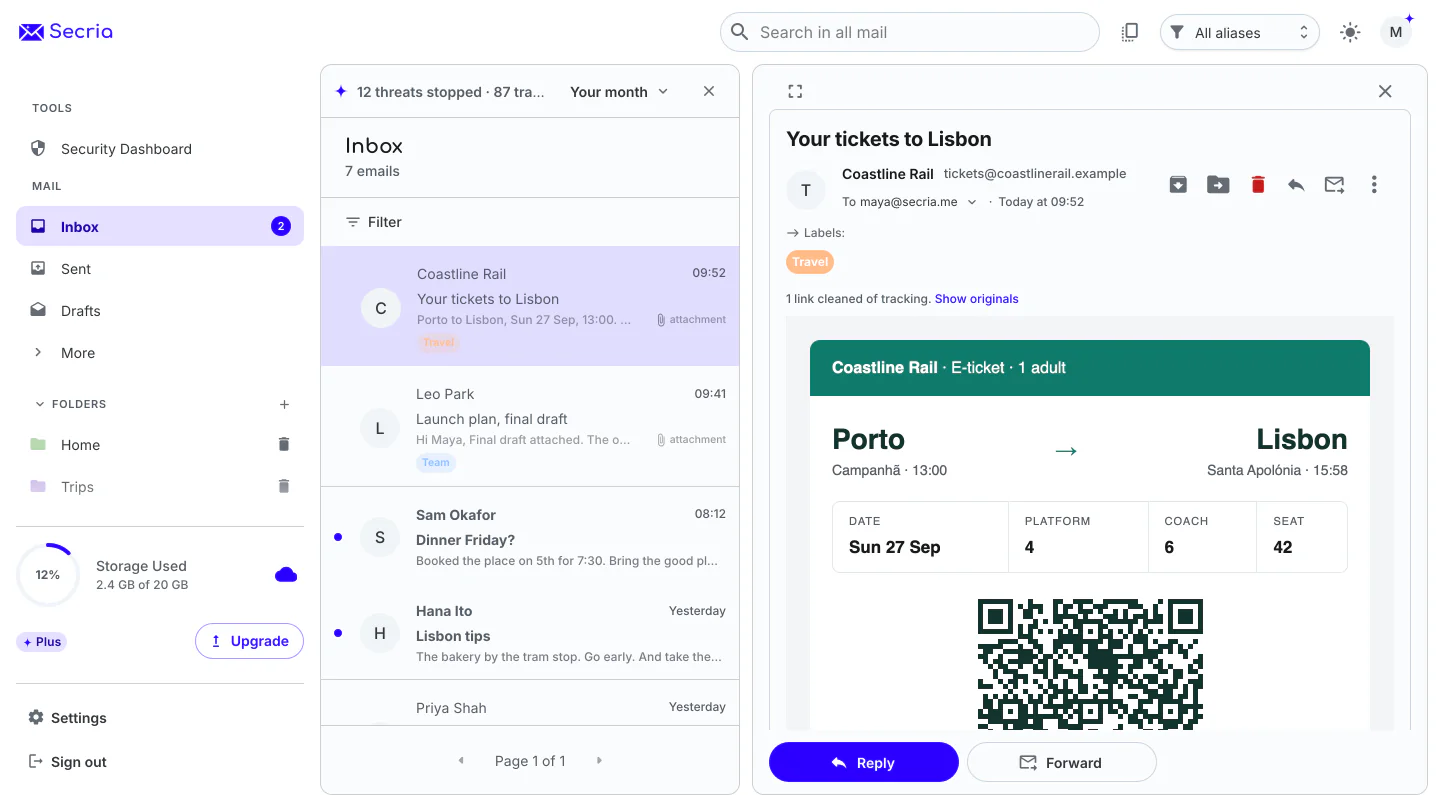
A reporter’s inbox holds sources, drafts and documents. Secria Mail stores every message in your mailbox with zero-access encryption, locked with keys made on your device, and end-to-end encryption is on by default. Sign up without a phone number, give every tip line and sign-up its own alias, and add Secria VPN for networks you don’t control. Below is what press freedom groups say about email and source protection.
- Zero-access encryption
- No phone number at sign-up
- Aliases on every plan
What press freedom groups say
What does email reveal about a source?
Encryption protects what a message says. The record around it, who wrote to whom and when, is metadata, and it can point to a source without anyone reading a word.
Metadata is the trail
Freedom of the Press Foundation calls metadata “information about the conversation, such as who spoke to whom, and when they spoke.”1
Encryption covers the content
The Committee to Protect Journalists says: “Encryption protects the content of messages, but the companies or organizations involved may be able to see the metadata, including when you sent the message, who received it, and other revealing details.”2
Records get requested
In 2021 the Reporters Committee for Freedom of the Press wrote that the U.S. Department of Justice had seized a CNN correspondent’s “telephone toll records and email metadata spanning a two-month period in 2017.”3
Images can give away where you are
Freedom of the Press Foundation warns that “embedded images in an email message can broadcast your IP address to wherever the images are being loaded from.”4
The safety guides, applied
Five habits from the guides, and where Secria fits
Each habit below is quoted from a guide written for working journalists.
| Question | What the guide says | With Secria |
|---|---|---|
| Use an encrypted email service | The Committee to Protect Journalists says: “Using an encrypted email service is another way of ensuring that your communications are secure.”2 | End-to-end encryption is on by default, and every message in your mailbox is stored with zero-access encryption. |
| Keep work and private life apart | The same kit says: “Separate your work and private life online and avoid mixing professional and personal information in accounts.”2 | Give your tip line, your sign-ups and each project their own alias, and reply from it. |
| Turn on two-factor authentication | Freedom of the Press Foundation says to “turn on two-factor authentication for any and all services that you can.”5 | Two-factor authentication with an authenticator app or a security key. |
| Keep your IP address to yourself | Freedom of the Press Foundation says “you can use a VPN to protect your devices from revealing your IP address.”4 | Tracking pixels are removed automatically and senders never see your IP address. Secria VPN covers everything else you do online. |
| Protect your browsing | It also says: “Protect your browsing history from your ISP by using a virtual private network (VPN).”2 | Secria VPN on 5 devices. No activity logs: we do not record browsing, DNS queries or traffic contents. |
- Freedom of the Press Foundation, Security considerations for confidential tip pages (updated June 12, 2026).
- Committee to Protect Journalists, Digital safety kit (updated February 20, 2026).
- Reporters Committee for Freedom of the Press, Statement on the Justice Department obtaining a CNN journalist’s phone and email records (May 20, 2021).
- Freedom of the Press Foundation, An in-depth guide to choosing a VPN (updated January 18, 2025).
- Freedom of the Press Foundation, Phishing prevention and email hygiene (updated June 12, 2026).
Checked October 11, 2026. This page is general information. Your newsroom’s security team and the guides above decide what fits your reporting.
What you get with Secria
Email built to keep a reporter’s inbox private
No phone number to sign up
Sign-up asks for no phone number, no second email address and no card. Recovery uses a 12-word recovery phrase.
An alias for every tip line
Publish an alias, not your real address. Reply from it, give it its own display name, and delete it when it starts to get spam.
Sealed with your keys
Your mailbox is stored with zero-access encryption, locked with a key made from your password on your device.
A VPN for networks you don’t control
On hotel, airport and conference Wi-Fi, the network sees a tunnel, never the sites you visit. Multi-hop routes you through three servers.
Getting started
Set up a reporting inbox in three steps
Create your account
Start on the free plan. Save your recovery phrase when you sign up, because it is your way back in if you forget your password.
Make your aliases
Create one alias for tips and one for sign-ups and records requests, so your real address stays out of public view.
Lock down sign-in
Turn on two-factor authentication in your account settings, and switch on Secria VPN before you join a network you don’t control.
Start free, add the VPN with Pro
Same encryption on every plan. Pick the one with the room you need.


Secria Pro
Unlimited aliases, 500 GB, 10 custom domains, and the full Secria VPN on 5 devices.
Monthly prices shown. Yearly and 2-year plans cost less per month. Compare all plans
30-day money-back on plans bought here. App Store and Google Play purchases follow their own refund rules.
Questions about secure email for journalists
What should journalists look for in a secure email service?
Encryption that is on by default, keys that are made on your device, a sign-up that asks for little about you, aliases, and tracker blocking. The Committee to Protect Journalists also advises reading a provider’s terms to understand what data is and is not encrypted.
Does encrypted email hide who I am talking to?
No email does. Encryption protects what a message says. The addresses and the time have to travel with the message so it can be delivered, and that record is called metadata. Plan for it the way the safety guides suggest: keep reporting on its own address and give sensitive contacts an alias that is used for nothing else.
Does encrypted email make a source anonymous?
No. Encryption protects the content of a message, not the fact that it was sent. Freedom of the Press Foundation tells would-be sources not to reach out from work and to avoid workplace devices, accounts and networks.
Do I need a phone number to sign up?
No. Secria Mail sign-up asks for no phone number, no second email address and no card. You get a 12-word recovery phrase as your way back in.
Can I use an alias for tips?
Yes. Create an alias for your tip line, another for sign-ups and records requests, and reply from each one. The free plan has 2 aliases, Mail Plus has 15 and Secria Pro has unlimited. Delete an alias when it starts to get spam.
Should journalists use a VPN?
The CPJ digital safety kit advises protecting your browsing history from your internet provider with a VPN, and choosing one that does not track and record your browsing. Secria VPN is included in Secria Pro. No activity logs: we do not record browsing, DNS queries or traffic contents.
Is there a plan for a newsroom?
Secria Business is opening soon. Join the waitlist to hear when it does. Personal plans are available today.
Can I bring my existing mail?
Yes. Secria imports MBOX files, EML files and Outlook PST files on every plan, free included. MBOX and EML files are read and encrypted in your browser before upload.
Your reporting, sealed with your keys.
Start free. No phone number, no card.